

The Portable SSD Market Has Traps at Both Ends. Here Is How to Buy in the Middle.
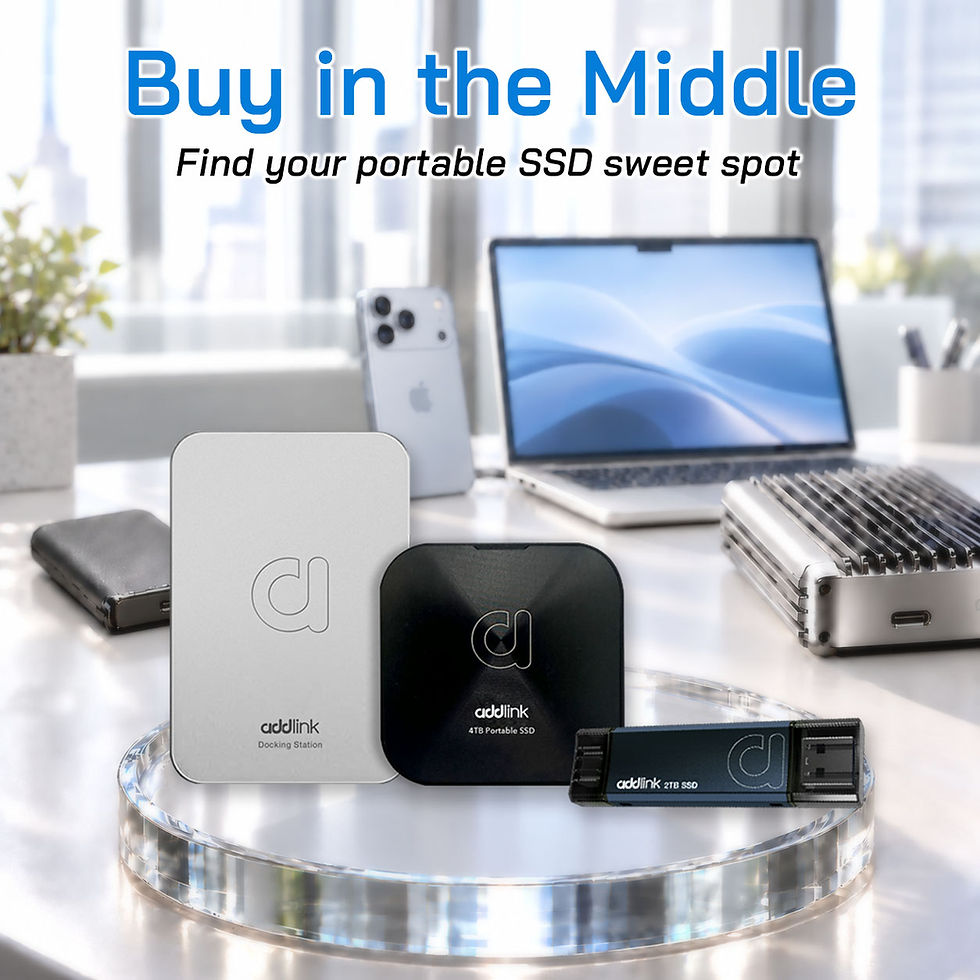
You need a portable SSD. You open Amazon, type in “portable SSD,” and immediately face two problems you did not expect.
At the top of the page, a Thunderbolt 5 drive promises 5,500 MB/s for $400. The reviews are glowing. The specs are spectacular. But a quiet voice in the back of your head asks: does my laptop even have a Thunderbolt 5 port? You check. It does not. You just almost paid $400 for a drive that would run at the same speed as one costing half as much on your actual hardware.
At the bottom of the page, a “4TB portable SSD” is listed for $35. The brand name is three random consonants. The listing has 4.5 stars from 12,000 reviews. The photos show a sleek aluminum enclosure. Everything about it looks legitimate — except the price, which is physically impossible for what it claims to be. Someone who buys it will discover, weeks later, that it is a 32GB flash chip wrapped in firmware that reports 4TB to the operating system. Their files will silently corrupt once they write past 32GB.
The portable SSD market in 2026 is treacherous at both extremes — overpaying for bandwidth your ports cannot use at the top, and losing your data to counterfeits at the bottom. The honest value sits in between, but you have to know what to look for.
Here is how to navigate both traps and land on the right drive at the right price.
Why the Portable SSD Market Got This Bad
Two years ago, buying a portable SSD was straightforward. You picked a known brand, checked that it was USB 3.2, and moved on. In 2026, three things happened simultaneously that made the market dramatically harder to shop.
First, the interface landscape fractured. USB 3.2 Gen 1, Gen 2, Gen 2x2, USB4 40 Gbps, USB4 80 Gbps, Thunderbolt 4, Thunderbolt 5 — all using the same physical USB-C connector, all running at wildly different speeds, and all marketed as “fast.” A drive rated for 5,500 MB/s plugged into a USB 3.2 Gen 1 port runs at 400 MB/s. The connector fits. The speed does not. And nothing on the box warns you.
Second, prices doubled and counterfeits flooded in. Legitimate portable SSDs are significantly more expensive than they were in 2024. That price gap created an opening for counterfeit sellers who offer impossible specs at impossible prices. The fakes look professional, have manufactured reviews, and report correct capacities to the operating system — until your data disappears.
The Hotel Booking Analogy
Imagine you are booking a hotel in a city you have never visited. The luxury suite at the top of the listing is $600 a night. The photos are stunning. But when you arrive, you discover the hotel is in the middle of a construction zone with no road access — the suite is real, but you cannot actually reach it conveniently. That is a Thunderbolt 5 portable SSD plugged into a USB 3.2 port. The room exists. Your road does not go there.
At the bottom of the listing, a hotel offers a “5-star suite” for $19 a night. The photos look pulled from a different property. The address does not quite match Google Maps. You book it anyway because the price is too good to pass up. When you arrive, there is no hotel. That is a counterfeit SSD on Amazon.
The right hotel is in the middle of the listing. Known chain. Honest price. Clean room. Nothing spectacular, nothing fraudulent. It gets you exactly what you paid for — and that is what matters.
The Top-End Trap: Thunderbolt 5 Drives You Probably Cannot Use
Thunderbolt 5 portable SSDs are now shipping. The LaCie Rugged SSD Pro5 hits 5,500 MB/s. The OWC Envoy Ultra pushes even higher. These are real products with real performance — on the right hardware.
The problem is that Thunderbolt 5 ports exist on exactly three product lines as of October 2026: M4 Pro and M4 Max MacBook Pros, M5 Pro Mac mini, and a small handful of high-end Windows laptops. That is it. Every other computer runs these drives at Thunderbolt 4 or USB4 speeds — a maximum of 40 Gbps, roughly 3,500 to 3,800 MB/s in practice.
Here is what that means in real terms:
Your Port | What You Have | TB5 Drive Speed | USB4 Drive Speed | Difference |
Thunderbolt 5 | M4 Pro/Max Mac, select 2026 Windows | ~5,500 MB/s | ~3,800 MB/s | TB5 is 45% faster — worth paying for |
Thunderbolt 4 | Most 2022–2026 premium laptops | ~3,200 MB/s | ~3,200 MB/s | Identical — TB5 premium is wasted |
USB4 | Most 2023–2026 laptops with USB4 | ~3,800 MB/s | ~3,800 MB/s | Identical — TB5 premium is wasted |
USB 3.2 Gen 2 | Most laptops, desktops, phones | ~1,000 MB/s | ~1,000 MB/s | Identical — both hit the port ceiling |
USB 3.2 Gen 1 | Older laptops, budget desktops | ~400 MB/s | ~400 MB/s | Identical — both crawl equally |
The table makes it clear: unless you own one of the few machines with a Thunderbolt 5 port, a TB5 drive and a USB4 drive deliver identical real-world performance on your hardware. The $150 to $200 price premium on a TB5 drive buys you zero additional speed on a TB4 or USB4 machine.
The addlink P30 runs at USB4 — 4,000 MB/s rated, roughly 3,500 to 3,800 MB/s in practice. On Thunderbolt 4 and USB4 ports — which is what the vast majority of current laptops and desktops have — it delivers the same transfer speed as a Thunderbolt 5 drive at a significantly lower price. The TB5 premium only earns its cost on a TB5 port. If you do not have one, you are paying for a road your car cannot reach.
The Bottom-End Trap: Counterfeit Drives That Eat Your Data
The other end of the market is worse — because instead of overpaying, you lose your files.
Counterfeit portable SSDs have been a problem for years, but the 2026 price crisis made them dramatically more profitable to sell. A legitimate 2TB portable SSD costs $200 or more at retail. A convincing-looking counterfeit costs the scammer roughly $8 to assemble — a small flash chip, a cheap enclosure, and modified firmware that reports the wrong capacity to the operating system.
Here is how the scam works: you buy a “4TB portable SSD” for $35. You plug it in. Your computer shows 4TB of available space. You start copying files. Everything looks normal. The drive is actually a 32GB or 64GB flash chip. Once you write past the real capacity, the firmware overwrites your earlier files silently. No error message. No warning. Your data corrupts invisibly, and you do not discover it until you try to open a file weeks later and find it is gone.
The warning signs are consistent and learnable:
Price that defies physics. NAND flash has a real manufacturing cost. A 2TB portable SSD cannot exist at $35 in any market — not in 2024, not in 2026, not ever. If the price seems too good to be true, it is. No exceptions.
Brand name you have never heard of — or no brand at all. Legitimate storage brands have websites, product pages, spec sheets, warranty policies, and third-party reviews. Counterfeit sellers use randomly generated brand names, have no web presence outside the marketplace listing, and disappear when problems arise.
Review patterns that do not match. A listing with 12,000 five-star reviews and a product page that was created three months ago is manufactured. Look for verified purchase reviews that mention specific use cases and include photos of the actual product. Legitimate drives generate mixed reviews — some users love them, some have complaints. Unanimous praise from thousands of accounts is a red flag, not a trust signal.
No spec sheet details beyond capacity and “speed.” A legitimate portable SSD listing states the interface (USB 3.2 Gen 2, USB4), the controller, the NAND type, the warranty length, and the rated sequential read and write speeds. A counterfeit listing says “4TB” and “fast” and nothing else. The absence of technical detail is itself the detail that matters.
How to Verify a Drive After Purchase
If you already bought a portable SSD and want to confirm it is genuine, two free tools settle it immediately.
On Windows: use H2testw. This free utility writes data across the entire claimed capacity of the drive and then reads it back, verifying every byte. A genuine drive passes with its full capacity confirmed. A counterfeit drive fails once it writes past the real flash chip size — the tool reports the actual usable capacity and flags the data corruption. Run this on any new drive before you trust it with important files.
On macOS: use F3 (Fight Flash Fraud). Same concept — writes and verifies across the full capacity. Available via Homebrew. A genuine drive passes. A fake fails with a clear report of the real versus claimed capacity.
Both tests take time — a full write and read of a 2TB drive takes several hours. That time is worth it exactly once, on the day you receive the drive. If it passes, you are safe. If it fails, return it immediately.
Two Rules for Landing in the Right Middle
The market is messy at both extremes. The middle is where the value lives, and two rules keep you there.
Match the drive to your actual port, not the fastest port that exists. Check what your daily machine has before you buy. If it has USB 3.2 Gen 2 — which most current laptops do — a USB 3.2 Gen 2 drive gives you full speed every day. The addlink P50 at 1,050 MB/s over USB 3.2 Gen 2 with dual USB-C and USB-A connectors is the drive that matches this port perfectly. If your machine has USB4 or Thunderbolt 4, a USB4 drive like the addlink P30 at 4,000 MB/s uses that bandwidth. Buying above your port wastes money. Buying below it wastes performance.
Buy from brands that publish specs you can verify independently. The single best defence against both counterfeits and spec-inflated products is transparency. A brand that publishes the controller model, the NAND type, the interface standard, and the warranty length — and whose products have been opened and tested by independent reviewers — is a brand whose specs are accountable. addlink publishes these details for the P50 and P30, both of which have been reviewed by PCWorld and TechRadar with consistent results. A 5-year warranty puts financial accountability behind the specs. In a market where counterfeits are everywhere and even legitimate brands are quietly changing internals, that transparency is worth paying for.
Frequently Asked Questions
1. I already have a Thunderbolt 4 laptop. Is there any reason to buy a TB5 drive now for future-proofing?
Only if you are planning to upgrade to a TB5 machine within the next year and you regularly transfer large volumes of data (100GB+ per session). In that specific case, buying a TB5 drive now means it runs at TB4 speeds today and unlocks full TB5 speeds on your next machine without a second purchase. For everyone else, the premium buys you nothing until you own the port — and by the time TB5 is mainstream, today’s TB5 drives may be superseded by faster models at lower prices.
2. Can I tell if a drive is fake just by looking at it?
Sometimes. Counterfeits often have slightly misaligned labels, misspelled text on the enclosure, or packaging that feels lower quality than expected. But the sophisticated fakes are visually indistinguishable from legitimate products — the enclosure is real aluminium, the branding looks correct, and the weight feels right (some scammers add metal weights inside). The only reliable test is the write-and-verify method using H2testw or F3. Visual inspection catches obvious fakes but misses the ones that actually fool people.
3. My drive is USB4 but I am only getting 1,000 MB/s. Is it defective?
Almost certainly not. A USB4 drive plugged into a USB 3.2 Gen 2 port runs at Gen 2 speeds — roughly 1,000 MB/s. The drive is working correctly at the speed your port allows. Check your laptop’s spec sheet to confirm which USB standard your port supports. If it says USB 3.2 Gen 2, you are getting full port speed and the drive is operating as expected. The USB4 capability is there for when you connect it to a faster machine.
4. Are “gaming” portable SSDs actually different from regular portable SSDs?
In almost all cases, no. The “gaming” label is a marketing tier, not a technical specification. The drive inside is the same NAND, the same controller, and the same interface as the non-gaming version from the same brand. What changes is the enclosure design (RGB lighting, aggressive styling) and the price (higher). Buy on specs — interface standard, read/write speeds, warranty — not on the word “gaming” printed on the box.
5. I bought a drive from a marketplace seller and it arrived sealed. Does that mean it is genuine?
Not necessarily. Counterfeit sellers repackage drives in shrink-wrap and sealed boxes that look factory-original. “Sealed” is not a guarantee of authenticity — it is a guarantee that someone sealed the package, which anyone with a heat gun can do. The only reliable verification is the capacity test (H2testw or F3) after opening. Run it before you transfer any important files.
The Verdict: So What Should You Actually Do?
Here it is in plain terms:
If your machine has USB 3.2 Gen 2 and you need reliable, portable, works-everywhere storage: The addlink P50 is the match. USB 3.2 Gen 2 at 1,050 MB/s, dual USB-C and USB-A built into the body, 12 grams, no cable required. It gives you full rated speed on the port most current machines actually have — without paying for bandwidth your hardware cannot use. Five-year warranty. Verified specs. The honest middle of the market.
If your machine has USB4 or Thunderbolt 4 and you move large files, edit video, or work with creative projects: The addlink P30 uses that bandwidth. USB4 at 4,000 MB/s, MagSafe magnetic mount for iPhone workflows, reviewed by PCWorld and TechRadar. On a Thunderbolt 4 or USB4 port, it delivers the same real-world speed as a Thunderbolt 5 drive — because the port is the ceiling, not the drive. The TB5 premium buys you nothing here. The P30 gives you everything the port can deliver.
If you need a desk setup that combines external storage with hub functionality: The addlink B31 docking station gives you a built-in NVMe SSD enclosure alongside PD 100W charging, HDMI 4K output, USB-C and USB-A data ports, and SD/microSD card readers. One cable, one device, everything you need at your desk. It does not chase the fastest transfer speed — it eliminates the three other devices you were carrying alongside your SSD.
Before you buy any portable SSD — from any brand — run one check: look up your laptop model and confirm what USB standard your ports actually support. That single step determines whether a $400 TB5 drive runs at $400 speed or $200 speed on your hardware. And after you receive any new drive, run H2testw or F3 once before trusting it with your files. Two minutes of verification prevents months of invisible data loss.
You can explore the full addlink portable storage lineup at addlink.com.tw/external-ssd-series.
Have you ever been burned by a counterfeit SSD, or caught one before it got your data? Drop a comment — we are curious how widespread the problem actually is among real buyers.


Comments