


USB Flash Drives
USB flash drives for fast, simple file transfer across phones, tablets, PCs, and cars. Choose USB-C OTG for modern Type-C devices, and choose USB-A for maximum compatibility with older laptops, desktops, TVs, and car stereos. For the smoothest experience, pick the connector your device actually has (Type-C or Type-A) and the capacity that fits your backup needs.
-
Need phone/tablet backup (Type-C)? Choose a USB-C OTG flash drive.
-
Need broad compatibility everywhere? Choose a USB-A flash drive.
-
Move large files often (videos/photos)? Prioritize USB 3.0 models for faster transfers.
-
Mostly documents and light use? A standard USB model is enough—focus on capacity and convenience.

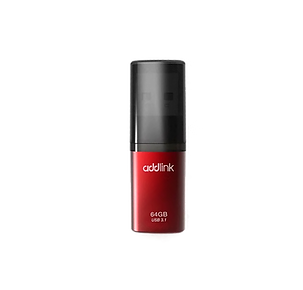
How do the USB flash drives compare?
Key differences:
USB-C OTG is best for Type-C phones/tablets and modern laptops.
USB-A is best for the widest compatibility with PCs, TVs, and cars.
Use Cases:
• Mobile backup — move photos/videos between a USB-C phone/tablet and a PC without cloud uploads.
• Work & school — carry documents, presentations, and installers for quick plug-and-play access.
• Car & media playback — store music/videos for USB playback (format may need to match your device).
FAQs
Q1: Which one should I choose: USB-C OTG or USB-A?
Answer: Choose USB-C OTG for Type-C phones/tablets and modern laptops. Choose USB-A if you need the widest compatibility with older PCs, TVs, and car systems.
Q2: Will it work with my phone?
Answer: It will work if your phone supports OTG and has the matching connector (Type-C). Some phones may require enabling OTG or using a file manager app.
Q3: Why is my transfer speed slower than expected?
Answer: Actual speed depends on your device port (USB 2.0 vs USB 3.x), file size/type (many small files transfer slower), and the source/target device performance.