


AI, Gaming & Laptop Upgrade Memory
addlink offers high-performance DDR5 for AI PCs & AAA Gaming, and reliable DDR4/DDR5 modules for Laptop & Desktop Upgrades. Choose the right memory to boost your speed and multitasking capability.
• AI PC / Gaming / Creator / High-end builds: go DDR5 + performance series• Mainstream Upgrades / Best Value: go DDR4 or value series• Desktop PC: choose UDIMM
• Laptop / mini PC: choose SO-DIMM


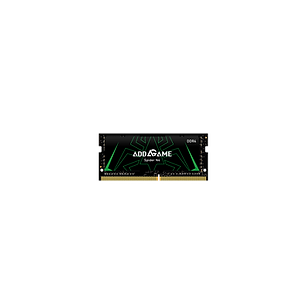


Quick Choosing Guide
Memory for AI & Upgrades
Q1: Which addlink memory is best for AI PCs and Gaming?
Answer: For AI workloads (like local LLMs) and AAA gaming, we recommend the Spider X5/S5 DDR5 series. Its high speed (up to 6000MHz+) and large capacity options (32GB/64GB kits) provide the massive bandwidth needed to accelerate token generation and reduce latency in deep learning tasks.
Q2: Can I use these modules to upgrade my Laptop or older Desktop?
Answer: Yes! addlink offers a full range of DDR4 and DDR5 SO-DIMM (for laptops/mini PCs) and UDIMM (for desktops). Upgrading your RAM is the most cost-effective way to boost multitasking performance on aging computers. Just ensure your device supports the correct type (DDR4 or DDR5) before purchasing.
Q3: Does addlink memory support XMP and AMD EXPO overclocking?
Answer: Yes. Our RGB gaming performance series (Spider X4/X5) features built-in support for both Intel XMP 3.0 and AMD EXPO profiles. This allows users to enable optimal speeds and stability with a simple "one-click" setting in the BIOS.
1. In order to reach the maximum rated speed for XMP or EXPO memory kits, you must activate the XMP/EXPO/DOCP/ profile in the BIOS on compatible hardware. This process involves overclocking and necessitates BIOS configuration adjustments.
2. Before XMP or EXPO is enabled, memory modules will run at their default SPD speed with compatible hardware under standard BIOS settings.
3. Reaching the rated XMP/EXPO overclock speed depends on your motherboard and CPU's capabilities
4. Results vary by platform and workload.